Reflection: Privacy, Tracking, and Open Learning
This week in EDCI 339, we focused on privacy, security, and how much information websites can collect from users. This was especially interesting to me as a computer science student studying cybersecurity because I already knew that websites could see things like an IP address, browser type, and some device information. However, after visiting the privacy demonstration websites, I realized that the amount of information exposed through normal browsing is much larger than I expected.
ClickClickClick
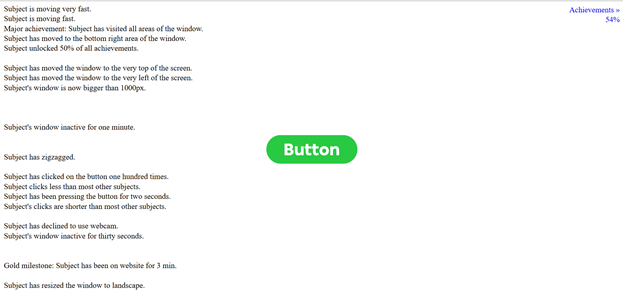
The first site I visited was ClickClickClick. This website was probably the most unsettling one because it tracked almost everything I did on the page. It noticed when I moved the window, resized it, clicked the button, stopped interacting with the page, scrolled, moved my cursor, and even when I left the tab. There was also a creepy voiceover describing my actions, making the experience feel as if someone were watching me in real time. What stood out to me was that none of these actions felt private or important while I was doing them. Moving a mouse, resizing a window, or clicking a button seems harmless. But when the website displayed all of those actions back to me, it showed how user behaviour can become data.
Since You Arrived
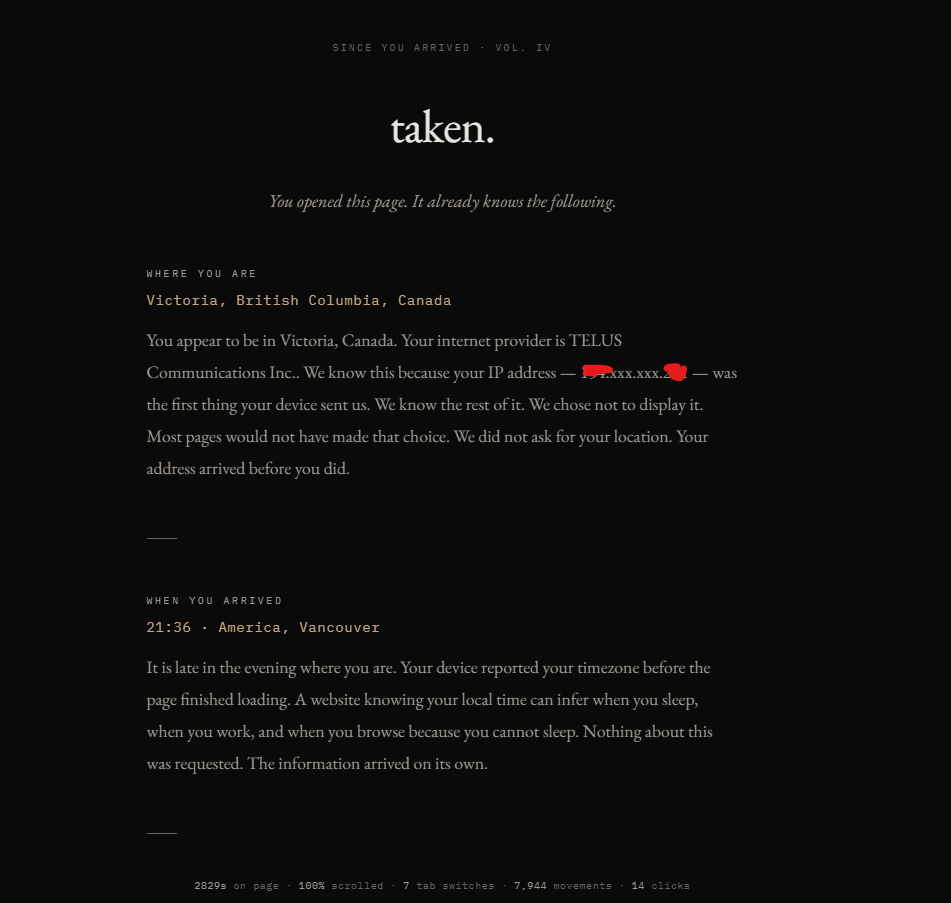
The second site I visited was Since You Arrived. This one felt more information-based, but still unsettling. It showed how a website can determine details such as location, internet provider, time zone, browser, screen size, GPU, language settings, battery status, fonts, cookies, referrer information, and tab activity. The site explains that this data is often sent automatically by the browser without the user directly giving permission. This made me think about how privacy is not only about what we type into a website. Even before we submit a form or create an account, the browser is already sharing information.
Privacy.net
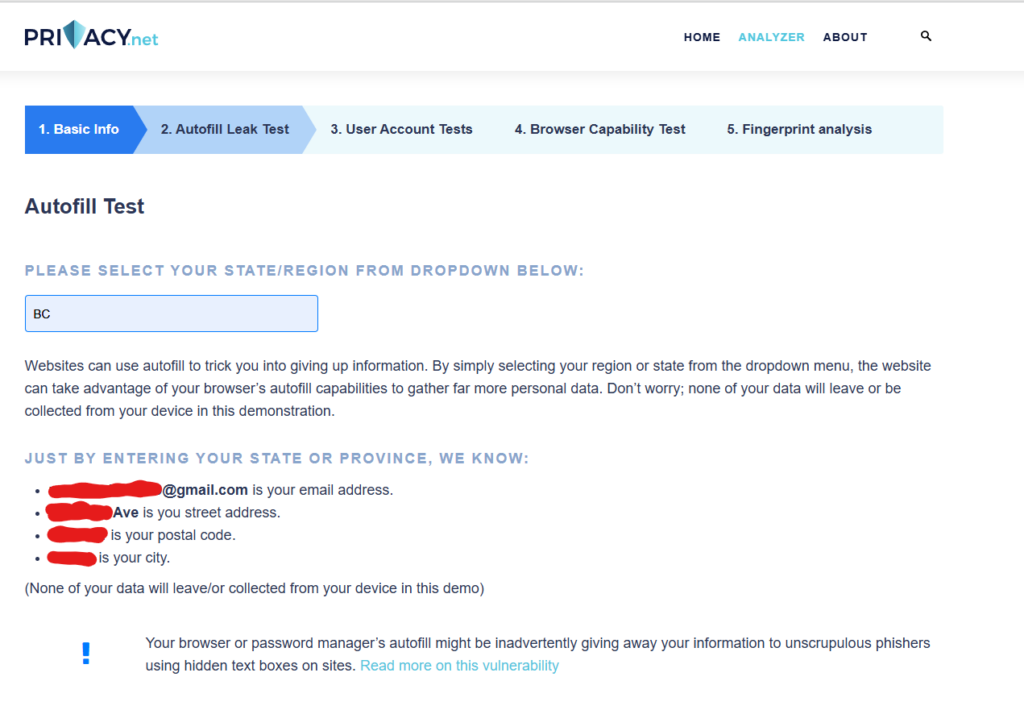
The third site I visited was Privacy.netAnalyzer. This website showed basic browser information, fingerprinting details, and an autofill leak test. The autofill test was the most surprising part for me. It asked for something simple, like a province or region, but because of browser autofill, the website could reveal much more information, such as an email address, street address, postal code, and city. That was eye-opening because selecting a dropdown option seems innocent, but autofill can expose more personal information than expected.
Privacy.net also showed browser fingerprinting information, including screen resolution, timezone, browser version, operating system, fonts, plugins, and hardware details. Even if each piece of information is small, when combined it can create a unique profile. This connects directly to cybersecurity because attackers or advertisers do not always need one obvious piece of personal information. Sometimes, many small details can be combined to identify or target someone.
The fingerprinting section on Privacy.net had a lot of technical information, so while researching, I came across this video to better understand how small browser details can be combined to identify or track a user.
One limitation of these websites is that they are designed to be dramatic and unsettling, so they may make privacy feel scary. However, I think that is also part of why they are effective as learning tools. They make invisible data collection visible, which helps users understand the issue more clearly.

Connection to Open Learning
From an open and distributed learning perspective, this made me think about how students are often asked to use many different online platforms without always knowing what information those platforms collect. Open learning gives students access to more tools and resources, but it also creates privacy risks because each website, app, or learning tool may collect browser data, location information, account details, or behavioural patterns. This is why privacy should be part of digital literacy. Students should not only learn how to use online tools, but also how to question what data those tools collect and how that data could be used.